
Say you run a small online store and you have just paid for a fresh batch of ads. The clicks arrive, mostly on phones, but the product page hangs white for a breath too long, the buy button jumps when a banner loads, and half the visitors leave before they can tap anything. Your speed test said green yesterday. Your customers are telling you something different today.
That gap is where website performance optimization services earn their keep, or waste your money. The 2024 HTTP Archive Web Almanac performance report found that 45% of desktop home pages achieved good results across all Core Web Vitals, compared with only 38% of mobile home pages, so a desktop check can hide the very problem your paid traffic meets. Treat every offer in this guide as a spell you can test. If a provider can't show a change in real visits and real revenue, it's snake oil with a nice label.
Table of Contents
- Wizards, Freelancers and Familiars at a Glance
- Criteria a Performance Service Must Pass
- What Each Path Costs and How Long It Takes
- Lab Scores Versus Real Visitors
- Third-Party Scripts and the Hidden Bills
- Which Path Fits Which Site
- Confirm Your Baseline Before You Hire or Subscribe
Wizards, Freelancers and Familiars at a Glance
Performance optimization paths at a glance
| Path | Typical Price | Time to First Gains | Your Involvement |
|---|---|---|---|
| Specialist agency (the wizard guild) | $2,000 to $10,000 per project | 4-8 weeks | Low, you approve changes and attend monthly reviews |
| Independent freelancer (the hedge witch) | $500 to $2,500 per project | 1-3 weeks | Medium, you supply access, briefs and testing |
| Automated SaaS (the familiar) | From $8 a month, Web Mage's plan includes 500 credits | Days, with daily checks | Low to medium, setup and goal review |
The table answers cheapest, fastest and easiest at a glance. It can't tell you whether the fix will survive your next campaign, plugin update or sale weekend. For that, ask three questions of every path.
Three Questions That Separate the Paths
First, who does the work. A guild brings auditors, developers and analysts, but your request joins a queue. A hedge witch works directly in your code and moves quickly on a narrow brief. A familiar applies routine tuning on a schedule, compressing assets and watching pages without waiting for a meeting.
Second, who verifies it. An agency should bring its own measurement and show before and after field data. A freelancer often verifies with the same lab test used to find the problem, unless you grant analytics access and agree what counts as success. A familiar can show daily trends, but it only sees the pages, events and segments it was configured to watch.
Third, what happens when the work stops. Guild work may sit untouched until the next monthly review while new scripts creep in. A one off witch's brew can fade as content grows and nobody remeasures. A familiar keeps patrolling, yet it won't redesign a custom checkout or argue with your legal team about a consent banner.
Cheapest on the quote is not cheapest after a rollback, a lost tracking tag or a second audit to find what the first one missed.
These figures are 2026 market estimates. A quote outside the band deserves questions about scope, templates and script count rather than automatic rejection.
Criteria a Performance Service Must Pass
Start with a yardstick you can hold any mage to. Google's Core Web Vitals guidance classifies a page as "Good" when Largest Contentful Paint (LCP) is at or below 2.5 seconds, Interaction to Next Paint (INP) is at or below 200 milliseconds, and Cumulative Layout Shift (CLS) is at or below 0.1, and a site passes only when the 75th percentile results for all three meet those thresholds. That means one in four visits can still be worse, so the pass mark is already forgiving.
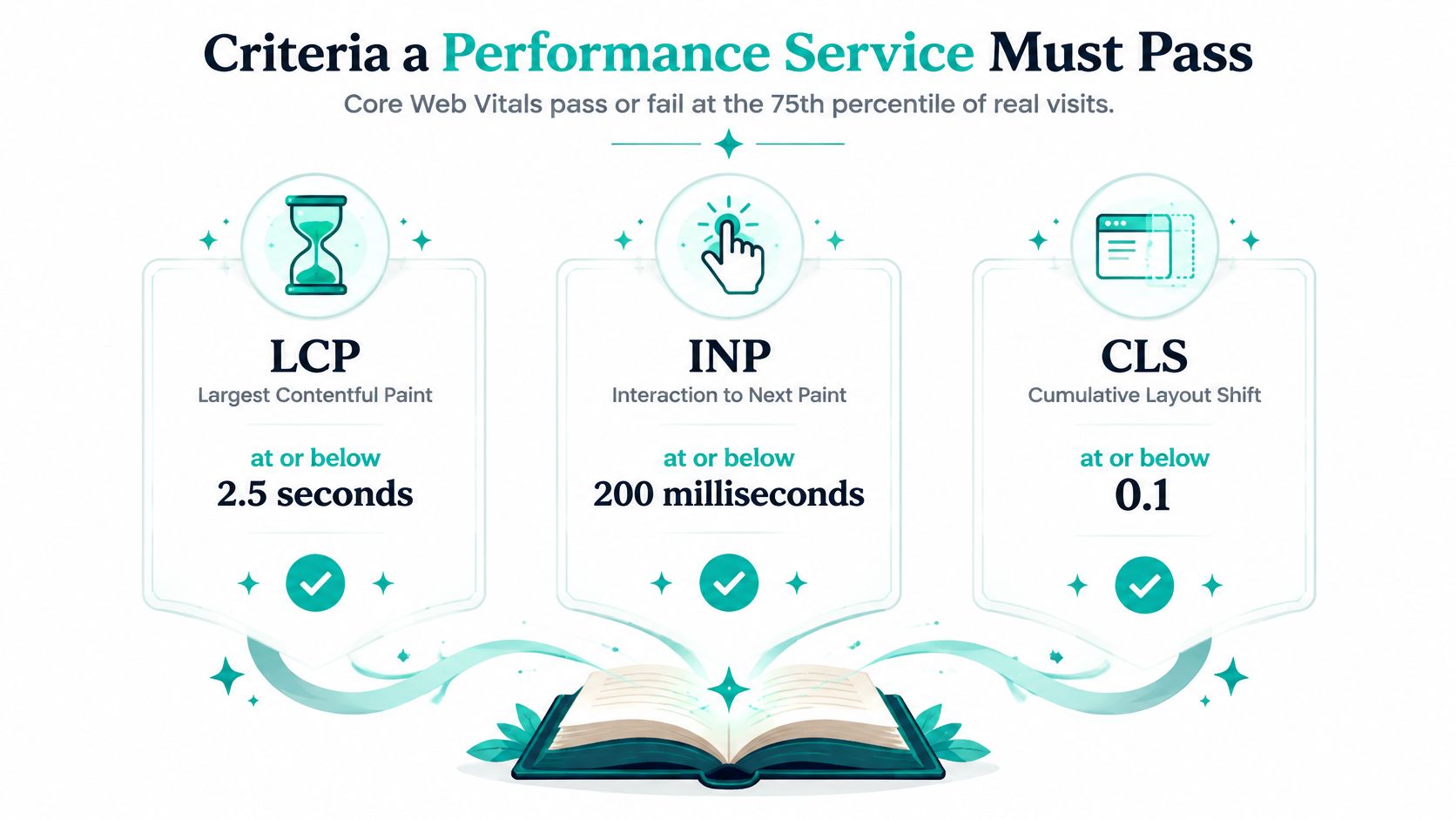
Use these six checks before you sign, subscribe or hand over passwords. Each one has a good answer and an evasive one, and you can hear the difference in a single sales call.
The Six Part Checklist
- Field data from real users, not only lab runs. A good answer names Chrome User Experience data or real user monitoring and explains how lab tests will be used for diagnosis. An evasive answer waves a single PageSpeed score and calls the job done.
- Results split by mobile and desktop, connection type and page template. A good answer shows your product template on mobile separately from your homepage on desktop. An evasive answer reports one sitewide average that lets a failing checkout hide behind a fast blog.
- A written inventory of third-party scripts with owners. A good answer lists each vendor, its purpose, its weight and who in your business owns it. An evasive answer promises to defer everything and can't tell you which tag feeds your ad attribution.
- Business metrics beside speed metrics. A good answer reports checkout completion, lead submissions or revenue per session next to LCP and INP. An evasive answer celebrates milliseconds saved while your form completions fall.
- Rollback rules for any change that hurts conversion. A good answer states the trigger, for example a drop in completed checkouts against baseline, and who can reverse the change. An evasive answer says rollbacks won't be needed because the changes are best practice.
- A stated timeline for when field data will reflect a change. A good answer explains that real user results build over a rolling window and sets a review date. An evasive answer promises a passing grade tomorrow based on one lab run tonight.
Prioritisation should follow the metric that's failing. Slow LCP points you toward server response, render blocking files and oversized hero media. Poor INP points toward long JavaScript tasks and heavy event handlers. Bad CLS usually means images or ads without reserved space, or interface elements arriving late and shoving content around.
Our own guide to practical website performance optimization techniques follows that same order, fix the bottleneck the failing metric names instead of applying every trick in the spellbook at once. Compression, lazy loading, caching and code splitting are tools, not a strategy.
One caution matters for small sites. If you get very little traffic, you may not have enough field data for stable real user numbers. In that case a provider should say so plainly, lean on lab diagnostics with care, test on a mid range phone over a throttled connection, and avoid pretending a thin sample proves a pass.
A simple test: If a provider can't say exactly how you'll know real visitors got a faster page, you're buying a score, not a result.
What Each Path Costs and How Long It Takes
Cost by site profile and path
| Site Profile | Automated SaaS |
|---|---|
| All profiles, one-off project | From $8 a month instead of a project fee |
| All profiles, monthly retainer | From $8 a month |
| Small brochure site, 5-10 pages | $8-$30 a month |
| Lead-generation site with paid traffic, 20-50 pages | $30-$100 a month |
| Ecommerce store with 500+ products | $100-$300 a month for a SaaS first pass, specialist audit quoted separately |
| Heavy JavaScript app | Not a realistic fit |
Read this table beside the first one. Automated SaaS looks trivial next to a guild project, but the right comparison is total cost for your profile, including the specialist hours a heavy store still needs for theme code, checkout logic and app conflicts. A heavy JavaScript app needs engineers who can profile bundles and rewrite components, and no familiar should pretend otherwise.
What Actually Drives the Price
Three things move a quote more than page count alone. The first is the number of page templates, because a store with one product template is one problem, while landing pages, collections, articles and account pages are several. The second is the count of third-party tools, since each tag needs testing for attribution, consent and checkout events. The third is whether custom code is needed, because flipping cache settings is an afternoon, while refactoring a theme is a project.
Timelines follow the same logic. Agency audits typically take two to four weeks before implementation begins, then fixes arrive in reviewed batches. Freelancers can finish single fixes in days or a few weeks, provided you supply access, staging and fast approvals. SaaS applies its routine changes within a day and checks daily, which suits compression, lazy loading and monitoring rather than deep rewrites.
Your choice of website hosting and builder also sets a floor under every quote, because a slow origin or a builder that injects heavy scripts on every page forces every path to spend its first hours fighting the platform instead of improving your funnel.
A Payback Example You Can Copy
Deloitte's Milliseconds Make Millions report reports that a 0.1-second improvement in mobile site speed can influence every stage of the customer journey and increase conversion-related outcomes. The related Deloitte Milliseconds Make Millions research summary found that a 0.1-second mobile site-speed improvement increased retail conversion by 8.4% and average order value by 9.2%.
Say a store gets 10,000 monthly mobile visits, converts at 2%, and averages an $80 order. Baseline revenue is 10,000 x 2% x $80, which equals $16,000 a month. If an 8.4% conversion lift held on its own, that's $16,000 x 8.4%, or roughly $1,344 extra a month, before any order value change.
Set that against the paths. A $2,000 to $10,000 agency project would pay back in roughly 1.5 to 7.5 months at that lift. An $8 to $100 monthly SaaS plan pays back if it protects even a tiny slice of that gain, but only if its routine fixes move your failing metric. The study is retail specific, so treat this arithmetic as a template for your own visits, conversion rate and order value, not as a promise any wizard can sign.
Lab Scores Versus Real Visitors
A green Lighthouse score is a dragon in a cage. It's real, but it's measured under controlled conditions, on one device profile, from one place, at one moment. Your customers arrive on cracked screen phones, hotel wifi, trains and congested evening networks.
The image below sets the lab sorcerer beside visitor data that decides whether you pass.

Benchmarks show how wide the gap gets. Recent benchmark reporting on Core Web Vitals pass rates puts the share of origins passing all three Core Web Vitals at roughly 55.9%, while individual metric pass rates are about 68.6% for LCP, 81.3% for CLS, and 86.6% for INP. Passing one spell is common. Passing loading, stability and interactivity together for real people is harder.
Device split sharpens the point. Chrome User Experience Report data analysed in the 2025 Web Almanac summary found that in 2025, 48% of mobile origins and 56% of desktop origins passed all three Core Web Vitals. If your provider only tests desktop, they're grading the easier exam.
What Each Path Can Actually See
An agency can pull field data, set up real user monitoring, and segment by device, geography, connection and template. That visibility is its strongest claim, provided the quote includes instrumentation and not just an audit document. Ask who owns the monitoring account when the retainer ends.
A freelancer often sees the lab clearly and the field dimly. Without analytics and Search Console access, before and after screenshots of a score may be all you get. That's acceptable for a single known fix, such as a hero image that's too large, and weak evidence for a checkout problem.
A SaaS familiar watches on a schedule and is good at spotting drift, a new page getting heavier, a broken template, a slow trend after a content push. It may not see custom checkout events or know that mobile paid traffic converts at three times the value of desktop organic readers. You still need to connect its readings to your funnel.
This short video walkthrough shows how to read performance reports without mistaking a single test run for your customers' experience.
The contrarian point is worth sitting with. Improving your average page may do nothing for your highest value audience. Say mobile visitors from a paid campaign land on a dedicated page with video, chat and three tracking tags, while desktop organic readers land on light articles. Optimising the articles lifts your average and leaves the people you paid to acquire stuck at the gate.
Third-Party Scripts and the Hidden Bills
The most expensive hidden bill is rarely the optimisation fee. It's the campaign you can no longer measure after a helpful pixie deferred the wrong tag, so you keep spending on ads while flying blind about which ones sell.
Atatus's guide to optimizing third-party scripts estimates that commercial websites commonly load 15-25 third-party scripts across 10-20 domains, and that collectively these scripts may add 500 milliseconds to 2 seconds to loading and consume 200-1,000 milliseconds of main-thread time. Chat widgets, reviews, heatmaps, consent tools, personalisation and analytics all arrive with good reasons. Together they can eat the entire gain your optimisation bought.
How Each Path Handles the Script Pile
An agency can audit and gate tags properly, but that work is often billed as extra hours outside the headline speed package. A freelancer may remove or delay a script in good faith without knowing it feeds ad attribution or a finance report. A SaaS platform controls its own built in tools, which avoids plugin pile up, but it can't judge the business value of your external marketing stack for you.
Count these five costs before you call any quote cheap.
- Lost attribution after a tag is deferred, which corrupts campaign decisions long after the speed report looks pretty.
- Retainer creep when audits repeat every quarter, especially if nobody fixed the process that keeps adding scripts.
- Migration cost when leaving a builder or agency, including rebuilding tracking, consent and redirects on the new stack.
- Consent region failures after a script change, where a tool works in your country and breaks where consent rules differ.
- Rollback time after a bad release, including evenings spent restoring checkout while ads keep running.
The remedy is governance, not a bonfire. Classify every tool as essential, measurable, redundant or experimental, with a named owner for each. Essential tools stay and get loaded as efficiently as possible. Measurable tools stay if their data changes a decision. Redundant tools go, and experimental tools get a deadline and a success metric or they go too.
Then test one change at a time. After each removal or delay, check revenue, event counts and data quality, not just load time. Say you delay a reviews widget on product pages and LCP improves, but review stars vanish from the first screen and add to cart clicks dip. That's a trade you should see in numbers within days, with a rollback ready.
Removing analytics to gain speed can cost more than the speed earns, because you lose the map that shows which campaigns paid for the work.
Put a simple performance budget in writing, a maximum script count and weight per template that any new tool must fit inside. Without that rule, next quarter's helpful additions summon the same dragon again.
Which Path Fits Which Site
Recommended path by scenario
| Scenario | Recommended Path | Second Choice | Why |
|---|---|---|---|
| Solo founder with a five-page brand site | Automated SaaS | Freelancer | Low cost, daily checks, no maintenance queue |
| Agency managing 15 client sites | Freelancer on retainer plus SaaS for monitoring | Specialist agency | Spreads audit work and keeps daily checks running |
| Ecommerce store with checkout drop-off | Specialist agency | Freelancer with analytics access | Needs script audit, theme work and revenue tracking |
| Course creator running a webinar funnel | Automated SaaS | Freelancer | Fast funnel build and built-in split tests |
| Enterprise SaaS marketing site with consent review | Specialist agency | Freelancer on retainer under agency governance | Legal, consent and multi-team governance |
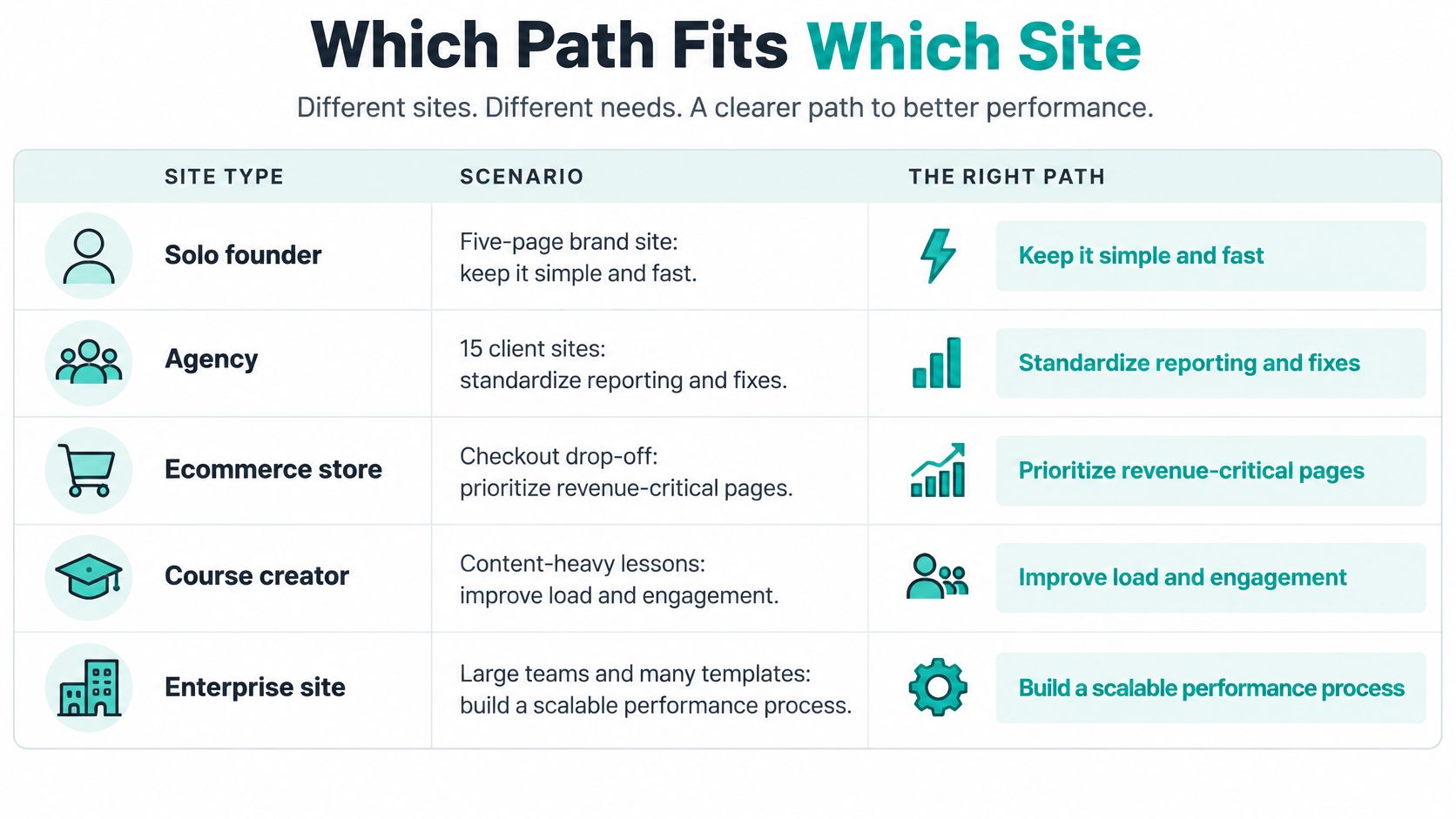
Read the rows as starting points, not commandments. A solo founder with a five page brand site rarely needs a guild, because the likely fixes are image weight, caching and a tidy script list. Paying project fees there buys ceremony. A freelancer is a sensible second choice for a one off tidy up, provided someone keeps watching afterward.
An agency managing 15 client sites has the opposite problem. It needs repeatable reporting more than heroic one off fixes. A freelancer on retainer can work through audits site by site, while SaaS monitoring keeps daily checks running between visits and flags drift before a client notices. A specialist guild is the second choice when several clients share a hard problem, such as a common theme that's failing INP everywhere.
Where Revenue Raises the Stakes
An ecommerce store with checkout drop off should start with a specialist agency. Checkout touches payment scripts, fraud tools, address lookup and consent, and a clumsy deferral can cost orders in an afternoon. A freelancer with genuine analytics access and ecommerce experience is the second choice, not a generalist with a speed plugin.
A course creator running a webinar funnel usually fits automated SaaS well. The pages follow a repeatable pattern, registration deadlines punish slow builds, and split testing a headline or offer often matters as much as shaving milliseconds. A freelancer helps when the funnel needs custom integrations with a course platform or email system the SaaS doesn't cover neatly.
An enterprise SaaS marketing site with consent and legal review belongs with a specialist agency first. Multiple teams own scripts, regions impose different consent behaviour, and every change needs an audit trail. A retained freelancer can execute inside that governance, but shouldn't be the governance.
For the automated path, our $8 monthly plan includes unlimited pages and funnels, speed, broken-link and keyword patrols, monthly SEO review, weekly analytics reading, hosting, SSL, a custom sub-domain, and 500 credits every month. That suits teams that want daily checks and built in split tests without assembling plugins. Built in agents handle the routine patrol work, including a Speed Sprite that compresses images and monitors page speed.
The limits deserve plain words. Web Mage has no drag-and-drop editor and no template to start from, so teams needing pixel level custom design control or deep application code should hire a specialist instead of fighting the tool. If revenue depends on a custom funnel, buy the specialist audit first, fix the structural problems, then keep an automated familiar on watch between audits so the gains don't rot.
Confirm Your Baseline Before You Hire or Subscribe
Do this week of homework before any guild, witch or familiar touches your site. It takes an afternoon and turns every sales promise into numbers you can check.
Six Actions Before You Commit
- Pull 28 days of field data for LCP, INP and CLS, split by mobile and desktop, and note your worst template rather than only your homepage.
- Record the conversion rate for each funnel step, from landing page view through product or offer interaction, checkout initiation and completion, or the equivalent for lead signup.
- List every third-party script with its owner and purpose, and mark which ones feed attribution, consent, payments or chat.
- Pick a candidate from the matching scenario row, using fit and governance rather than the lowest sticker price.
- Ask for the rollback plan and reporting cadence in writing, including which business metric triggers a reversal.
- Run a 30-day trial against the baseline, comparing field metrics and funnel steps for the segments that matter, especially mobile paid traffic.
Choosing a website performance optimization tool gets much easier once those six items exist, because you can compare what each provider will measure against what you already know. Without a baseline, a faster lab score after the work proves almost nothing, since seasonality, campaigns and traffic mix also move.
The warning sign is simple. A provider who won't be measured against your baseline is asking to be paid for effort instead of outcomes. Walk away politely and keep your gold.
There's also a low risk way to test the familiar path. Web Mage can be cancelled at any time, so you can run a monthly plan for a single month against your baseline before committing to a larger retainer or project.
Put a familiar on patrol before you summon the whole guild. Web Mage gives you a site and funnel builder with built in speed monitoring, daily optimisation agents and split testing under one $8 monthly plan, so you can compare real page performance against your own baseline within a month. Start with your slowest money page, measure mobile visitors, and keep only the spells that move both speed and sales.