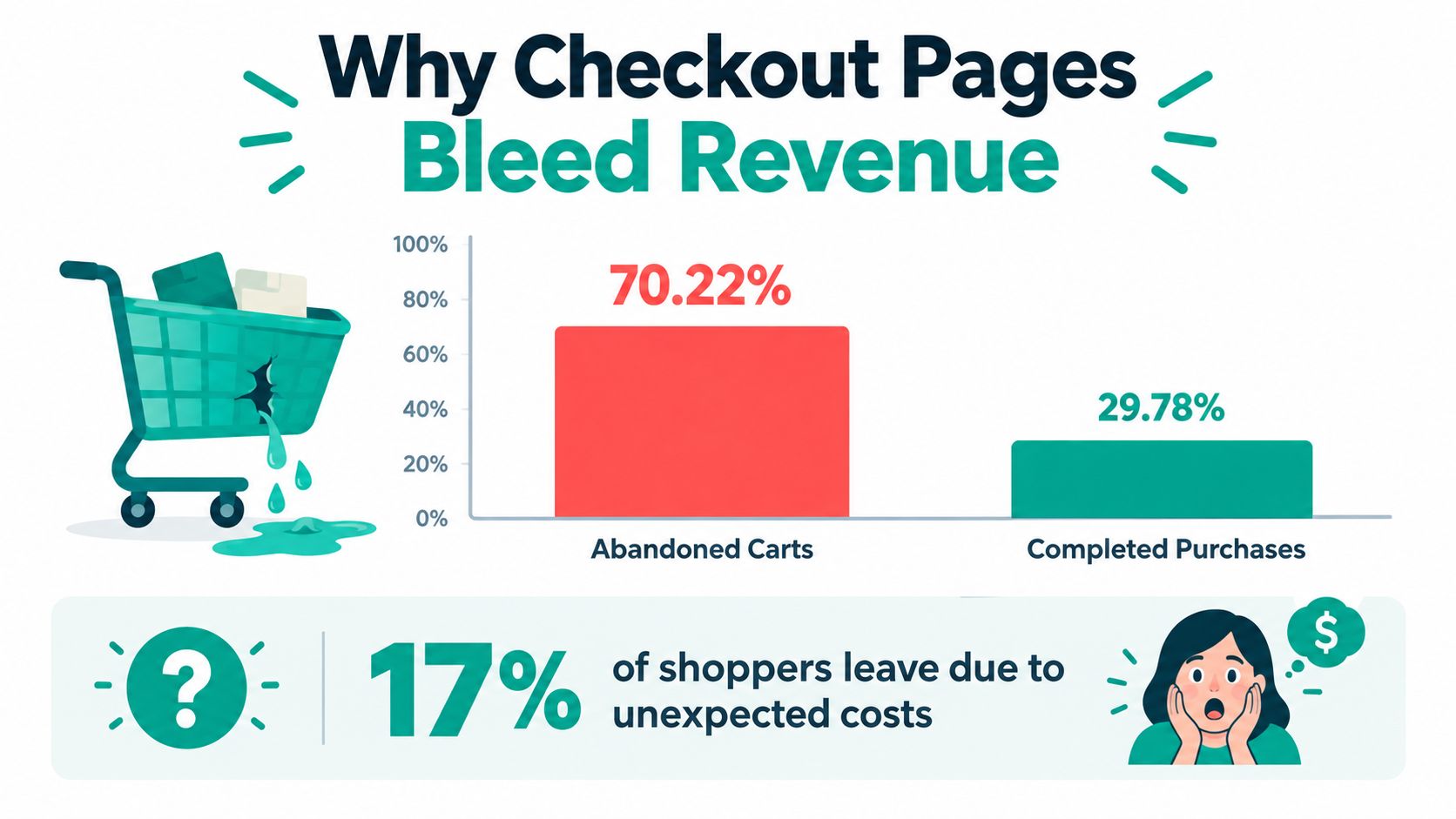
Baymard's analysis puts average documented cart abandonment at approximately 70.22%. That means checkout isn't a ceremonial last step. It's the leaky portal where many would-be buyers vanish, often because the path to payment asks too much, hides too much, or moves too slowly.
Strong checkout page optimization works like a spellbook, not a bag of random tricks. Audit every field, reveal the true cost before the final click, match payment options to the shopper, make the flow accessible, and test changes instead of trusting a hunch. The magic is practical: each enchantment should remove a real obstacle and show its effect in your funnel.
Table of Contents
- Why Checkout Pages Bleed Revenue
- Auditing Every Form Element Like a Spellbook Inventory
- Building Payment Confidence Before the Final Click
- Choosing Payment Methods by Market, Device, and Intent
- Conjuring Mobile Speed Without Losing the Mystique
- The Accessibility Spell Most CROs Forget
- Designing A/B Tests You Can Trust and Roll Back
Why Checkout Pages Bleed Revenue
Cart abandonment averages approximately 70.22%, while about 29.78% of carts proceed to purchase, according to Baymard's checkout usability research. That gap makes checkout a major leakage point, though it doesn't mean every shopper was ready to buy and changed their mind. Some encounter avoidable friction after choosing a product.
17% of U.S. online shoppers said they'd abandoned an order in the previous quarter because checkout felt too long or complicated, according to the same Baymard research. A cluttered checkout turns a straightforward purchase into a tedious quest: each extra control asks buyers to pause, decide, or type.
The average U.S. checkout displays 23.48 form elements by default. Baymard's testing indicates a functional flow can use 12–14 elements, including roughly 7–8 actual fields. Treat those figures as a prompt to question each element, not a target for stripping the form bare. Does it help authorize payment, fulfill the order, meet a real requirement, or serve the customer? The audit section below examines how to make that call.
Four enchantments worth mastering
Start by finding where shoppers hesitate or leave, then remove unnecessary work without disrupting fulfillment. Build payment confidence by making costs and recovery paths clear. Improve checkout speed by addressing the resources slowing the flow, especially on mobile. Then run controlled A/B tests. Experienced mages need evidence, not hunches.
Tie each enchantment to a measurable outcome, such as completed purchases, while watching the safeguards around the transaction. A page that looks simpler but mishandles payment, shipping, or access hasn't fixed the leak. It has only put on a better robe.
Auditing Every Form Element Like a Spellbook Inventory
The checkout form is a spellbook of controls. Some runes help authorize payment or deliver an order; others add work without changing what the customer receives. Audit each one against its purpose, then keep the controls that serve shoppers and operations.
Use the lean-flow benchmark noted earlier as a starting point, not a quota. Classify every control as required, conditional, or deferrable. The right form gathers the information needed for payment and fulfillment while retaining legitimate fraud, tax, shipping, and regulatory requirements.
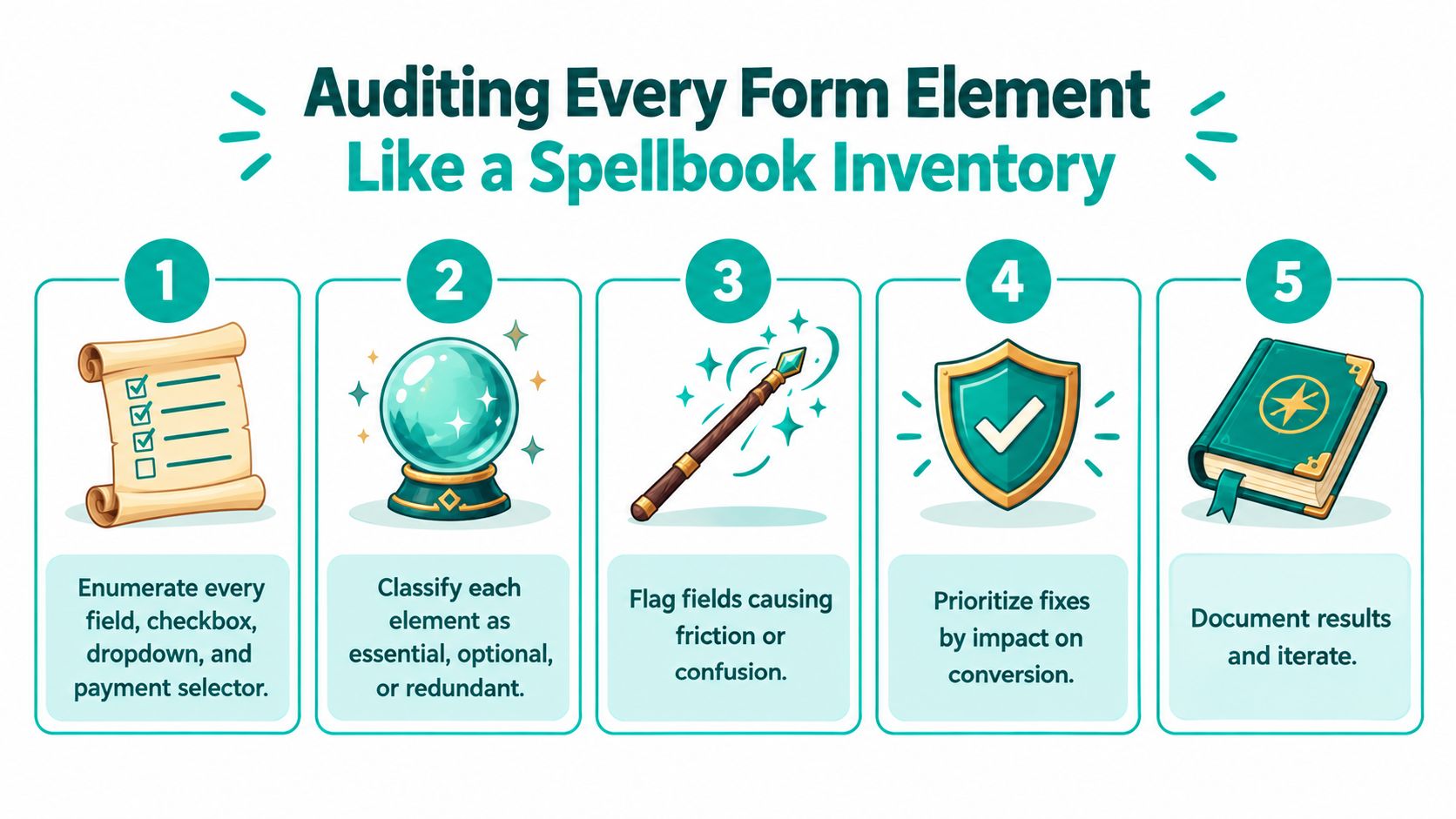
The five-part audit ritual
Inventory every control. Count text fields, checkboxes, dropdowns, radio buttons, and payment selectors. Include the quieter demands on attention, such as a billing-address toggle or marketing checkbox.
Classify each element. Mark it as required, conditionally required, or convenient. A shipping detail may be necessary for one order and irrelevant for another. A post-purchase preference rarely belongs between a customer and payment.
Remove or defer nonessentials. Delete controls with no clear operational purpose. If a detail is useful but not needed to complete the order, request it afterward instead of making it a toll gate.
Reuse information. Enable browser autofill and carry forward details the shopper has already entered, such as their email, name, or postal information. Less repetition means less typing, without sacrificing the data the order needs.
Measure the friction. Track checkout completion, field-level abandonment, validation errors, and time to purchase by device and traffic source. When a field triggers errors or drop-offs, inspect its label, format, timing, and necessity before removing data operations relies on.
Practical rule: Count what shoppers must review, not just how many pages they pass through.
Several clear steps can be easier to complete than one crowded screen. Field count and review effort matter more than the raw number of steps. For more on how usability informs conversion decisions, explore conversion rate optimization through UX.
Don't slash the form in one dramatic flourish. Reduce controls in measured changes, preserve required data, and check for downstream issues as well as checkout completion. The strongest spellbook isn't the shortest one. It contains only the runes that help the order work.
Building Payment Confidence Before the Final Click
A customer shouldn't have to cast a final-payment spell without knowing what it will cost. Hidden shipping, tax, or fees turn the last step into a surprise test, while an unclear payment error can make a fixable problem look like a dead end.
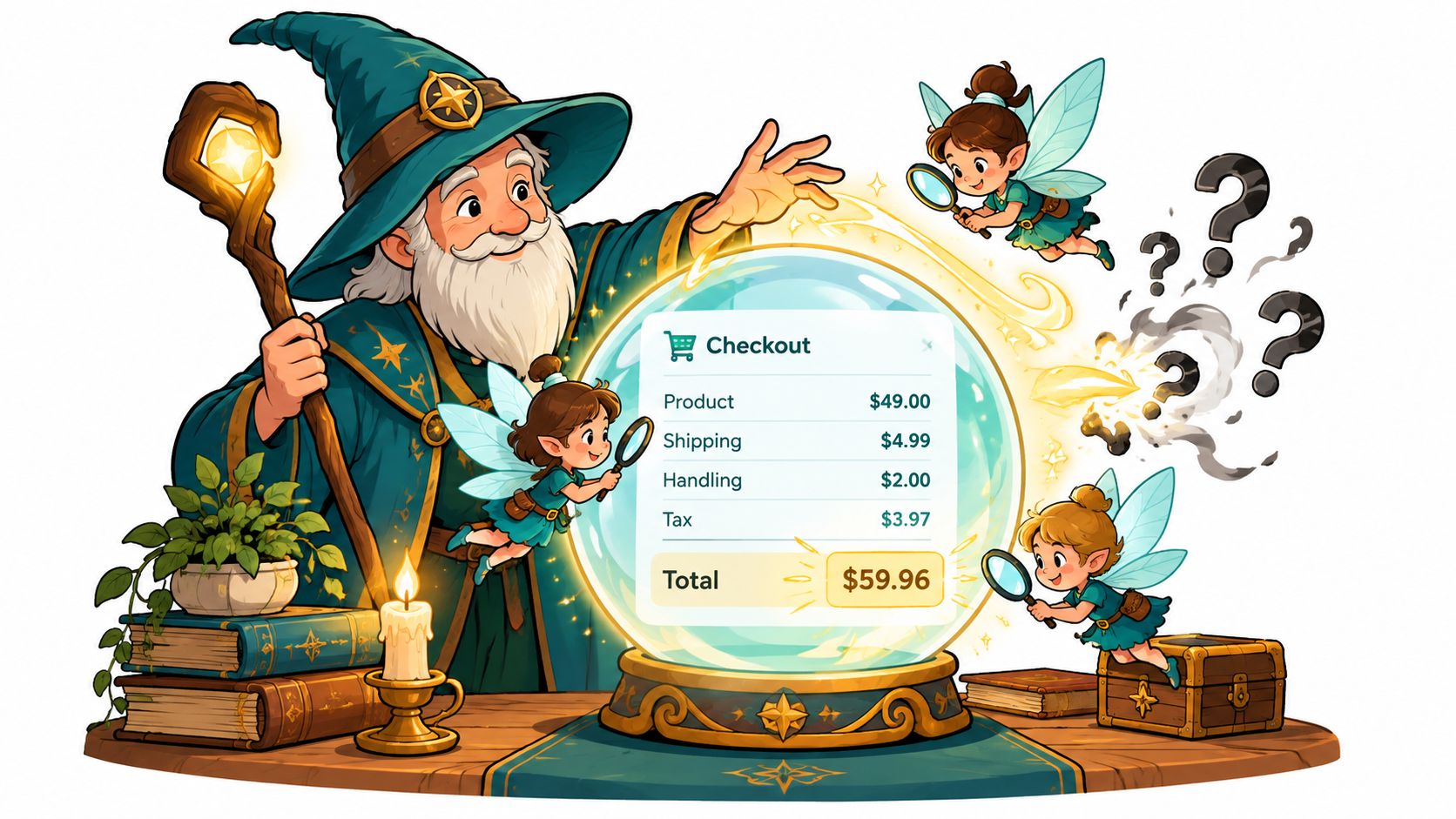
Baymard identifies extra costs, including shipping, tax, and fees, as a leading reason for abandonment, cited by 48% of surveyed shoppers. In the same Baymard research on checkout friction, 18% reported not trusting the site with their credit-card information. These are different problems, and they need different fixes: price clarity for one, credible reassurance and a reliable payment experience for the other.
Make the total feel settled before payment
Show shipping options and delivery estimates alongside taxes, fees, discounts, and currency in the order summary before the shopper submits payment. Keep that summary easy to reach on mobile, but don't let it cover the primary call to action. If the final total changes after a shipping choice, make the change visible rather than hoping the buyer notices.
Payment confidence also depends on recovery. Use recognized payment methods appropriate to the market, and give shoppers a clear path when authorization fails. Preserve the cart and entered details when it's safe to do so. A vague “Error processing payment” gives the customer a mystery. A more useful message might say, “Your card was declined. Check the details or try another payment method.” If the problem is technical rather than a bank decline, say that plainly and explain what to do next.
Track what happens around the total and the payment attempt: shipping-method changes, fee disclosure, exits after a total-price change, payment errors, and recovery. Judge the experience with conversion alongside authorization success, payment-method mix, error rate, refund rate, and average order value. Celebrating more final-button clicks while payment failures climb is a false victory.
A polished checkout earns trust through specifics, not decorative security theater. Show the actual cost. Name the problem when something fails. Make the next move obvious.
After reviewing the order, use the checkout walkthrough video as another way to examine the payment journey and the moments where clarity matters.
Choosing Payment Methods by Market, Device, and Intent
Payment methods are magical artifacts, not interchangeable buttons. A wallet can spare a mobile shopper from typing card details, while a card form may be the dependable default for another audience. A bank transfer may suit a local market, but introduce unfamiliar steps for a cross-border customer. The right mix depends on the visitor, the device, and how the payment is authenticated.
A 2025 experiment reported that adding alternative payment methods increased conversion by 7.4% and revenue by 12%. Apple Pay alone was associated with a 22.3% conversion lift and a 22.5% revenue lift (Crazy Egg's checkout design coverage). Those results are worth investigating, not copying as a universal promise. Availability, currency, device, order value, and authentication requirements can all change how a method performs in your own funnel.
Choose the artifact for the visitor
Adaptive ordering means presenting the most relevant option prominently, not blindly putting every wallet at the top. If a visitor's device supports a familiar wallet, it may reduce entry friction. If the shopper is in a market where another payment method is common, showing that option first may make more sense. Keep cards available as a clear fallback, and make redirects explicit before the customer commits.
The recovery path matters as much as the initial choice. Preserve cart and form details after a failed attempt. Distinguish a bank decline from a technical error so the shopper doesn't get useless advice. If an authentication step is required, explain what will happen and how the customer returns to the order. One-click convenience is valuable, but it doesn't erase authentication needs, especially in cross-border purchases.
| Visitor Profile | Lead Method | Fallback | Watch For |
|---|---|---|---|
| Mobile shopper with a supported digital wallet | Offer the compatible wallet prominently | Card payment | Authentication friction or a failed wallet handoff |
| Visitor in a market with a familiar local payment option | Test the locally relevant method near the top | Card payment or another supported local option | Currency, reconciliation, and authorization outcomes |
| Returning customer with saved payment details | Present the saved method clearly | A different saved method or card entry | Expired details and unclear recovery |
| New shopper making a cross-border purchase | Explain the available methods and any required authentication | Card payment or a supported alternative | Confusing redirects, currency clarity, and failed authorizations |
Measure completed revenue and successful-payment rate, not just button clicks or initiated checkouts. Segment results by country, device, browser, customer type, payment method, and order value when your data supports those cuts. More payment buttons can create more choice, but they can also add fees, extra steps, and operational complexity. Promote a method when it improves completed business outcomes, not because its icon looks powerful.
Conjuring Mobile Speed Without Losing the Mystique
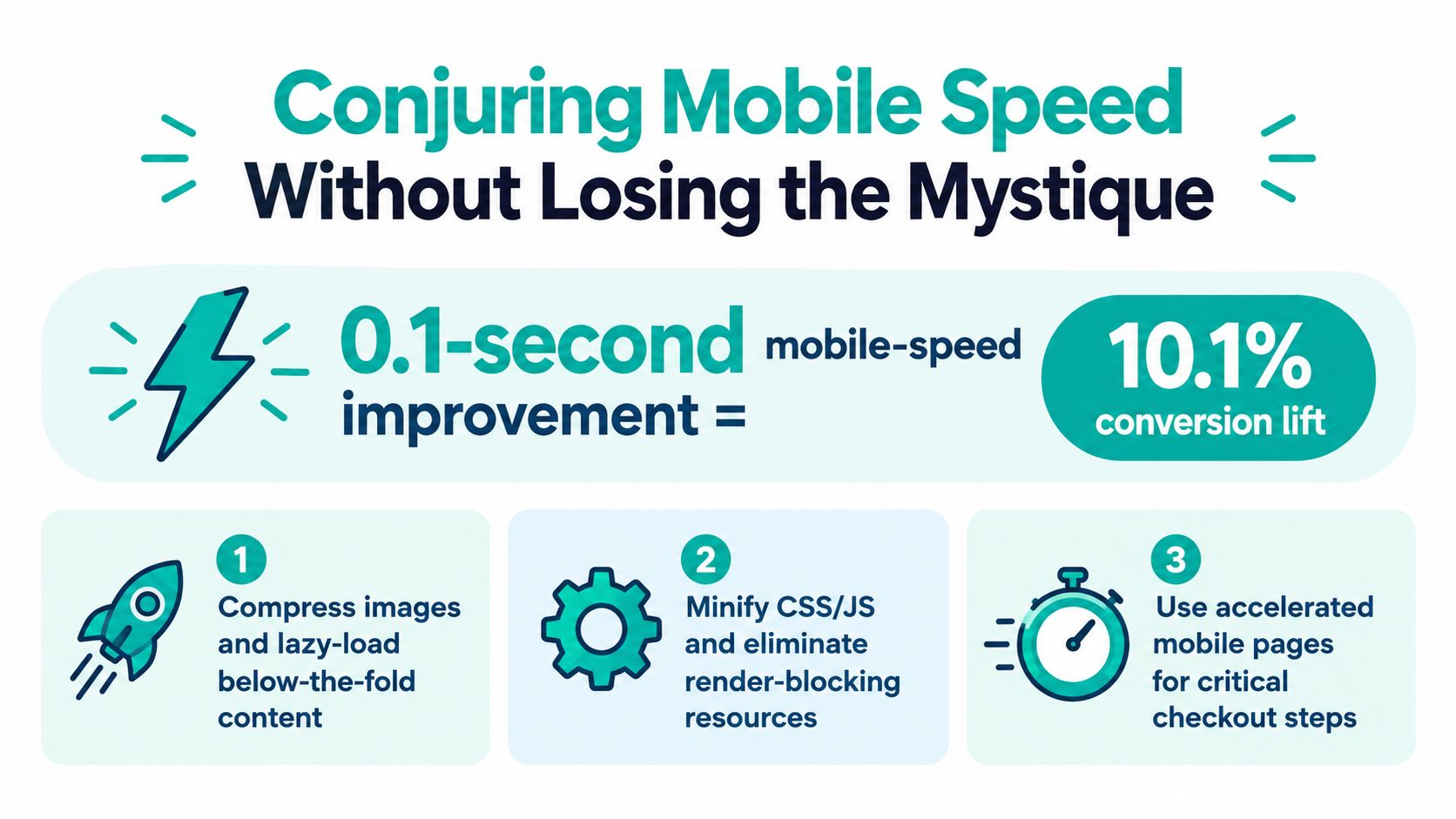
A fast checkout feels like a teleportation spell: the customer reaches the next step before sluggish scripts have time to break the rhythm. Google's Think with Google report measured a 10.1% increase in mobile conversion when page speed improved by 0.1 seconds (Google's Milliseconds Make Millions report). Treat that as evidence that speed deserves attention, not a guarantee that every store will reproduce the same result.
Send the Speed Sprite to the real bottlenecks
Start on the checkout page itself. Compress images, and load nonessential imagery only when it's needed. Defer scripts that don't support the payment journey, then review third-party tags that add work without helping a buyer complete an order. Payment components may need careful sequencing, so don't remove a required script just to win a lab score.
Measure the actual checkout experience, not the page you assume is slow. Identify the largest contentful paint element on checkout and inspect it directly. A common trap is optimizing a prominent hero image that isn't the thing delaying the page. Track real-user performance by checkout step and compare it with the behavior of shoppers who complete or leave. That gives the development team a sharper target than “make mobile faster.”
Useful work often includes image compression, script deferral, and pruning tags, but every change has a trade-off. Lazy-loading an image that's needed immediately can make the page feel unfinished. Delaying a payment component too aggressively can interrupt a transaction. Test changes against the actual flow, especially on devices and connections that don't behave like a developer's ideal setup.
If speed problems extend beyond checkout, use this website speed optimization guide to frame the wider performance work. The checkout punch list is simple: find the actual bottleneck, remove weight that doesn't serve the purchase, and confirm that payment still loads and behaves correctly.
The Accessibility Spell Most CROs Forget
A visually minimal checkout can still be a high-friction maze. Hide labels inside fields and they disappear as soon as someone starts typing. Use an error that appears only in red and some shoppers may miss it. Require precise pointer movement and keyboard users may get stuck before payment.
Accessibility is part of conversion because a shopper who can't move through, understand, or recover from an error can't finish the purchase. A 2025 audit of major European ecommerce sites found that 94% had inaccessible checkout flows, while only 2% allowed users to complete checkout without encountering a major accessibility barrier (the European ecommerce accessibility audit). A separate study described in that report found that just 11% of 84 cart and checkout pages tested met minimum WCAG requirements, with critical issues such as missing labels and poor contrast. Those findings make accessibility hard to dismiss as a final polishing task.
Test the checkout as different shoppers use it
Run the full payment flow with a keyboard only. Check whether focus moves in a sensible order, stays visible, and reaches each control without requiring a mouse. Then use a screen reader to verify that field labels, validation errors, and updates to shipping or tax are announced clearly.
When a form fails, keep the shopper's entered data wherever it's safe to do so. Put the error beside the field, explain how to fix it, and move focus so the customer can act. Check contrast and persistent labels, then zoom and reflow the page to make sure the form remains usable rather than forcing horizontal scrolling or hiding the payment button.
You don't need to collect sensitive disability data to see whether the interface works better. Test with assistive technologies, review task completion and error events, and invite people with different access needs to give feedback without making disability status an analytics requirement. Accessibility work can reveal friction that affects many shoppers, while opening a checkout path that visual-first testing might never uncover.
Designing A/B Tests You Can Trust and Roll Back
Checkout experiments are a potions lab. Change one meaningful ingredient, label the vial, and keep an antidote ready. A test that lifts button clicks but damages authorization success or order value isn't a winning spell.
Write each hypothesis in a concrete form: “Because we observed X, changing Y for Z segment should move M.” Set one primary KPI, such as completed checkout or net revenue, and choose guardrails that reflect the risk. Depending on the change, those might include average order value, refund rate, or authorization success.
Run the experiment like an honest mage
Before launch, record the hypothesis, audience, success measure, and conditions for stopping or rolling back. Segment results by device, country, new versus returning customer, and payment type when relevant. Don't keep checking results until a favorable number appears, and don't promote a variant just because one intermediate metric looks good.
A practical testing rhythm can keep the four enchantments moving: test a form reduction, a cost-disclosure change, a payment-method order, and a speed improvement as separate experiments. Keep each test focused enough that you can learn what caused the outcome. If a guardrail deteriorates or a payment flow breaks, stop the test and restore the working version. For more on building disciplined experiments, see landing-page split testing.
The compounding loop is straightforward: audit, prioritize, test, review, and promote only changes that improve the outcome you care about without damaging the safeguards around it. Keep the experiment log. Even a losing variant earns its place if it tells you what your customers won't tolerate.
Web Mage can generate connected landing, checkout, upsell, and thank-you pages from a prompt, while its Conversion Alchemist drafts and runs split tests, routes traffic, tracks results, and promotes winning variants. If you want to build and keep improving a checkout funnel without managing every change by hand, visit Web Mage.